The Room
My dorm room as a live 3D model that runs the real room: lamps, LED strips, the duck night light, the fan and the coffee maker, with the sun coming through the window where it actually is.
A dorm is a hostile place for a smart home: no personal router, nothing new on the Ethernet, Wi-Fi that keeps devices from seeing each other, and two smart bulbs that refused to join their own app. So I designed one that works inside those limits, and gave it an interface nobody else has: the room itself.
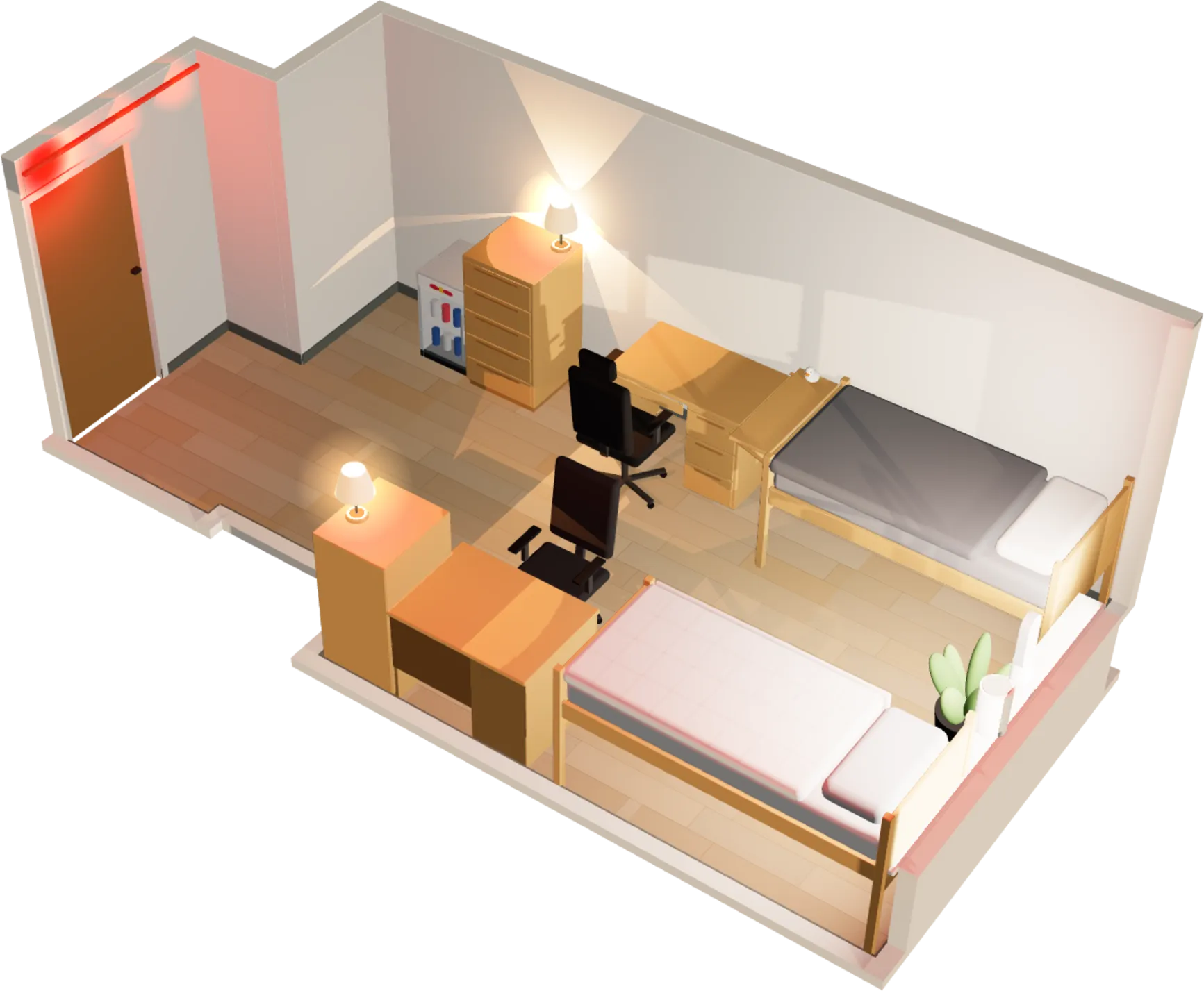
Tap a lamp in the model and the real lamp answers. Each light glows at its real color and brightness, the sun comes through the window from where it really is, and the whole screen takes on the color of the room. I designed and directed it, and built it with Claude Code.
- three.js
- JavaScript
- Home Assistant
- Python
- MQTT
- Bluetooth
- Claude Code
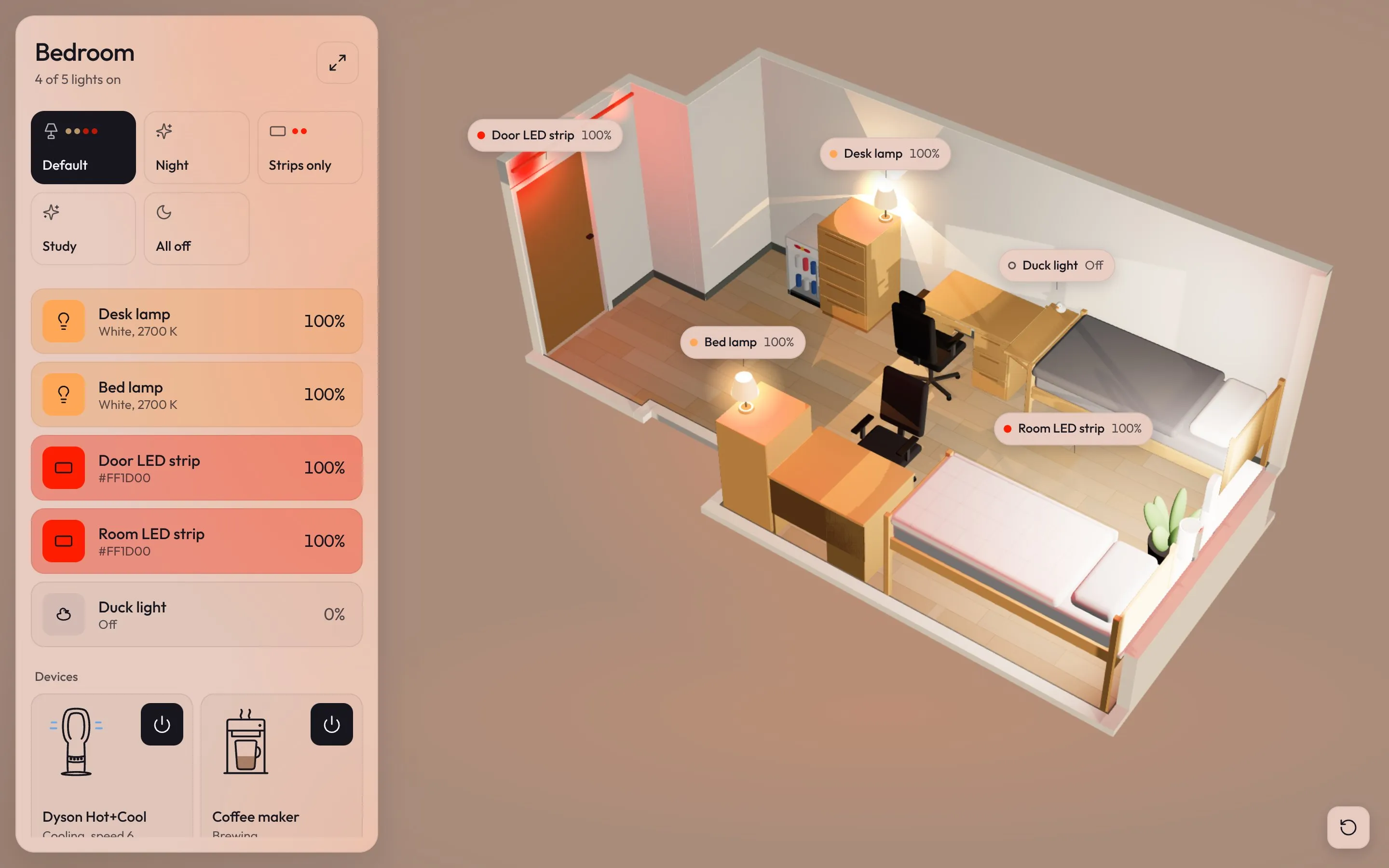
Point at the thing, not at a list.
Every smart-home app I tried was a grid of tiles with names like “Light 3”. You read a list to find a lamp you could just look at. I wanted the opposite: the screen should be the room, so finding a light is the same as knowing where it is.
So the panel is a dollhouse of my room, measured from a phone scan and simplified until it read at a glance. The wall nearest the camera drops away so you can always see in. Each light carries a small tag with its name and level, because a 3D model alone makes you guess. Tap to switch, press and hold for color and effects: one gesture for the thing you do fifty times a day, a second one for everything else.
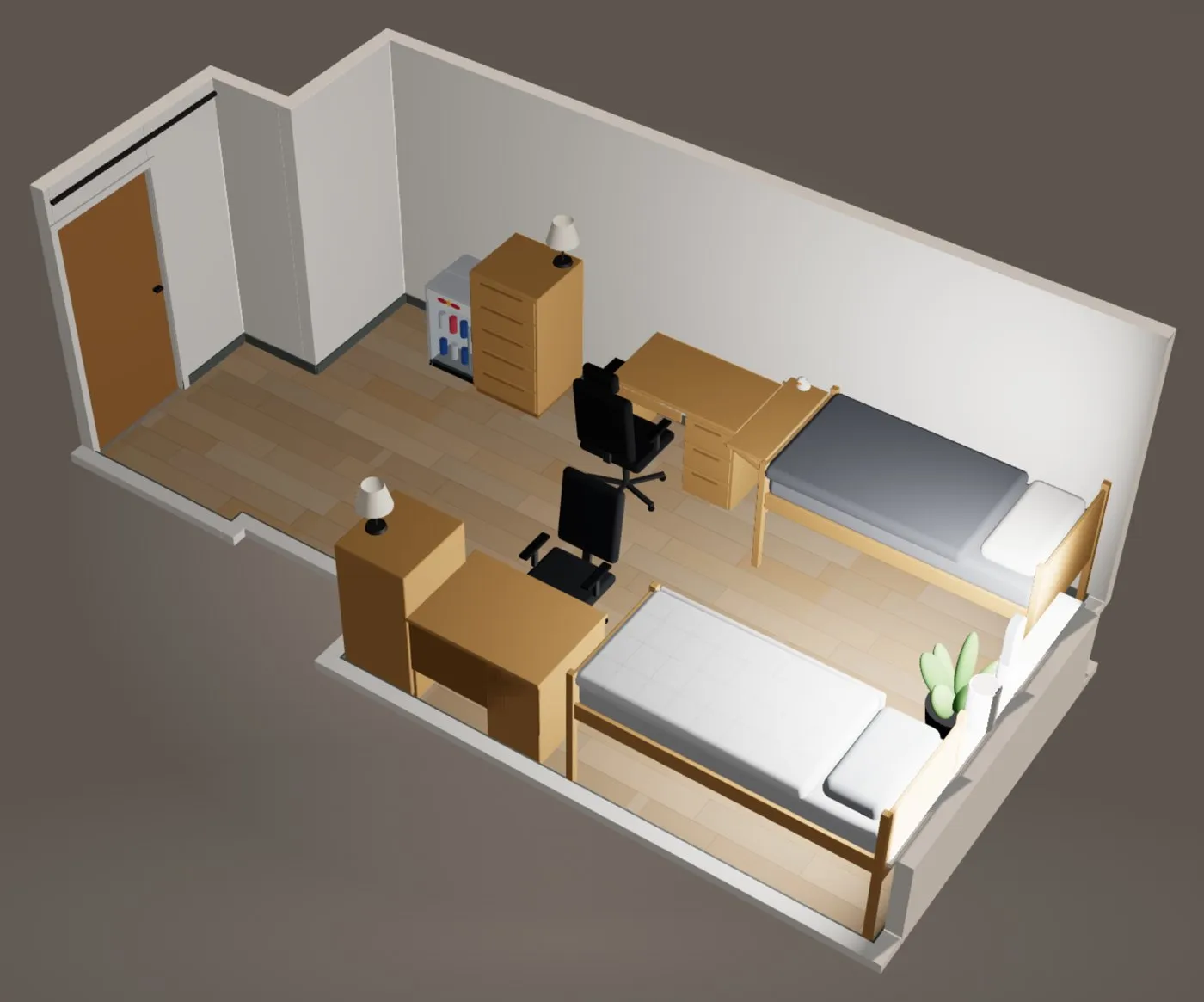
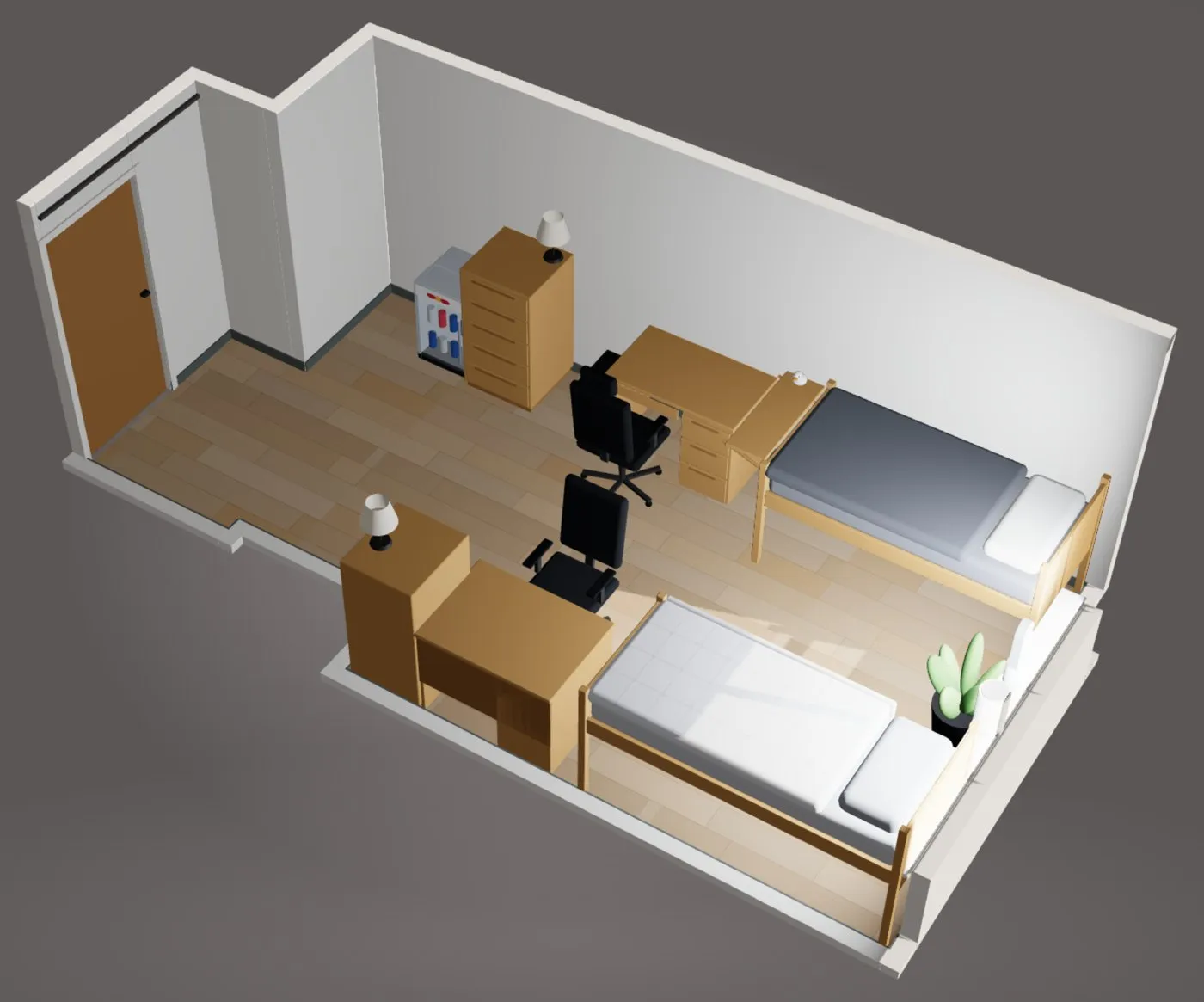
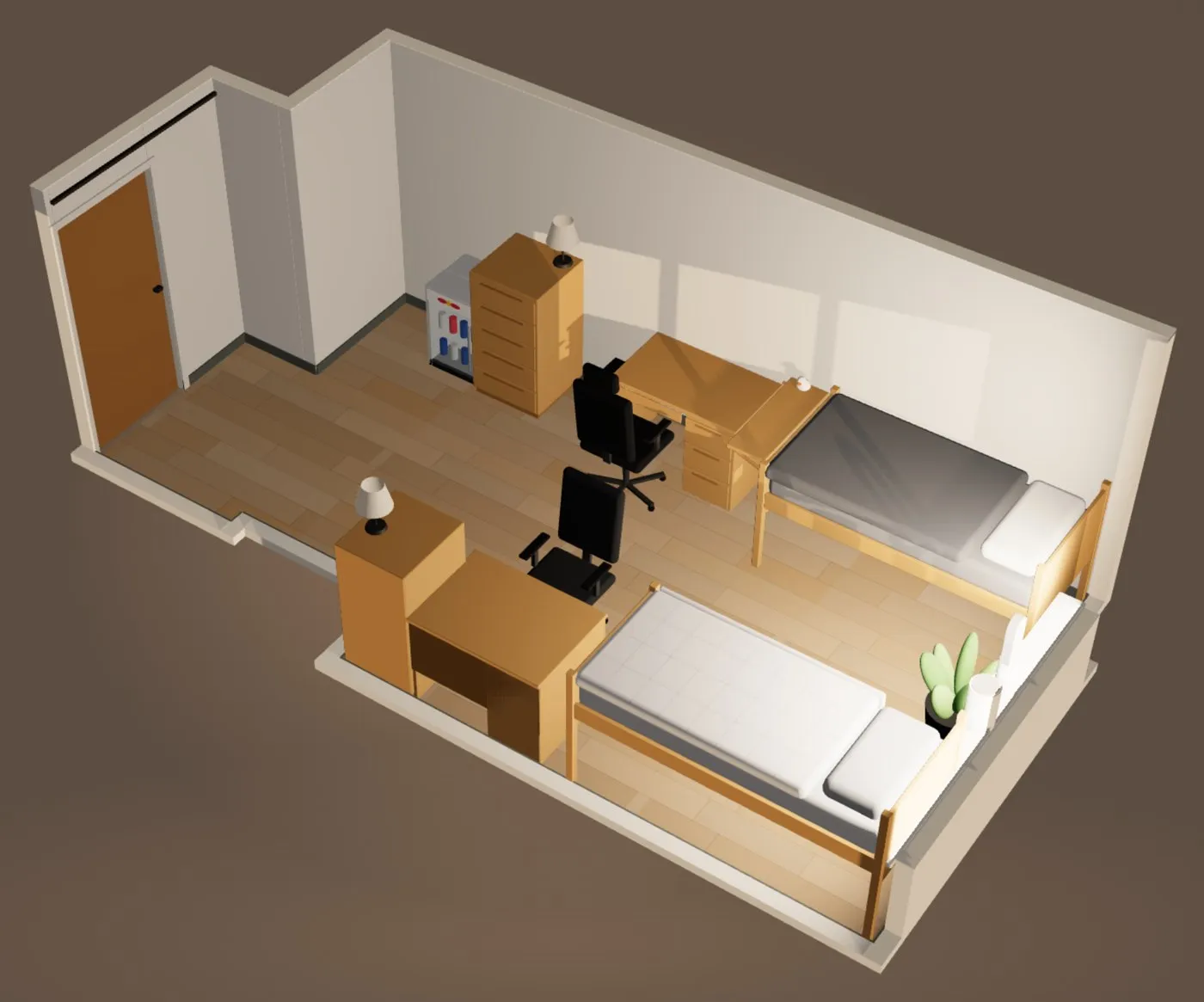
The sun comes in where it really does.
The model knows where it is and what time it is. It works out the sun’s position for the date, then lets it in only through the real window, which I measured off a map at 207°, just west of south. In the morning it’s a pale square on the wall, at noon a short patch under the sill, and by late afternoon a long warm stripe across the floor. At night it’s gone.
I wanted this for one reason: the screen should never disagree with the room. If the panel shows a sunny room while the real one is dark, you stop trusting the rest of it. The same goes for the lamps. A red strip had to look red, which took a custom tone-mapping shader, and a lamp at 10% had to look dim, so the light it throws follows the square of its level.
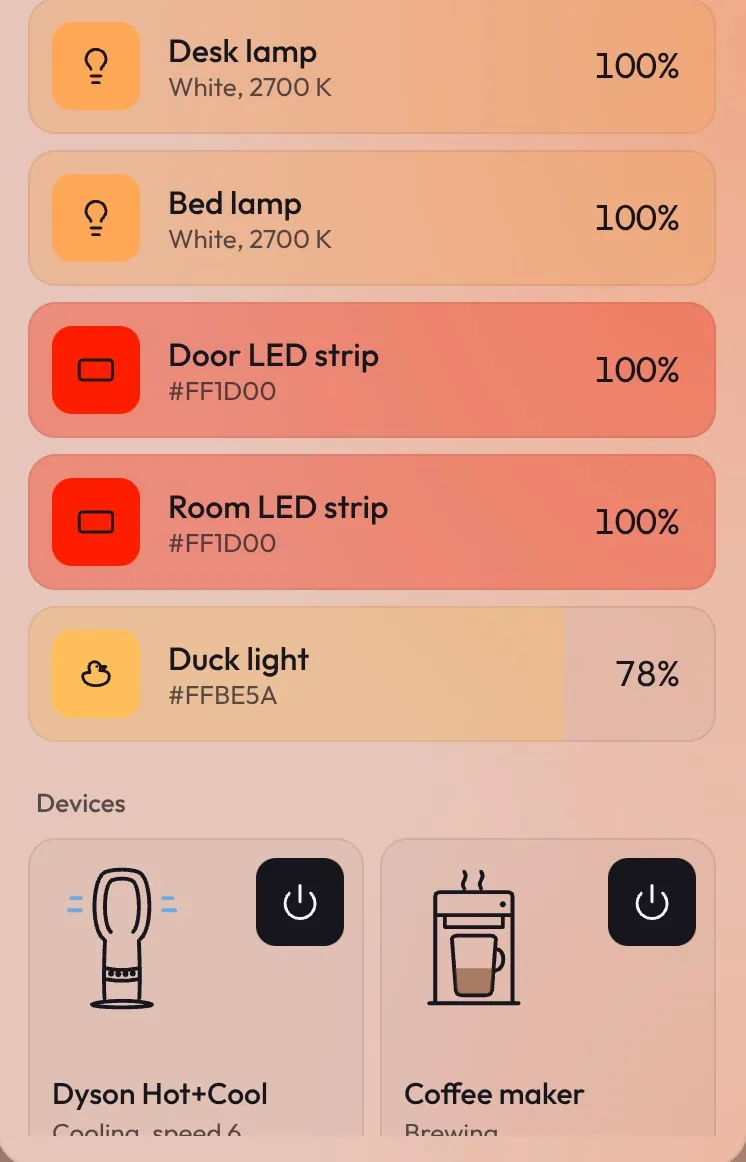
Everything in the room, from one place.
It isn’t only lights. The coffee maker sits on a Matter plug, so one tap starts it brewing before I’m out of bed. The Dyson fan only understands infrared, so a Zigbee blaster speaks to it in its own remote’s language, speed and all. The duck night light on the shelf glows in the model when it glows on the shelf.
Each device gets a card with its own drawing, and the drawing tells you its state without a word: steam rises from the coffee maker while it brews, air lines move beside the fan while it runs. Scenes tie it together. One tap can bring up the lamps, start the coffee and turn on the fan, and the room on the screen changes with the room around you.
How a tap reaches the room
- Room PanelThe 3D room in a browser: a wall tablet, a phone or a laptopThe sunDate, time and the window’s 207° bearing decide where daylight falls
- Home AssistantOn the server PC in the room. Every device reports here, and the panel talks to nothing else
- Bluetooth
- My bridgePython, talks to the lights directly. No app, account, cloud or Wi-Fi
- Lamps, strips and the duck light
- Thread
- Matter plugsTheir own mesh, so they never touch the dorm network
- Coffee maker
- Zigbee
- IR blasterMatter has no infrared device, so this is the one Zigbee part
- Dyson fan
Every device is just an entity.
The rule that holds it together: the panel only ever talks to Home Assistant, and every device, whatever radio it uses, shows up there as a plain entity. A lamp on Bluetooth, a plug on Thread and a fan behind an infrared blaster look the same to the interface. A device can change radios, or the server can move, without touching a line of the panel.
That rule is a design decision as much as an engineering one. It let me build the interface first, on my PC, knowing it would survive the move to a dedicated server and a tablet on the wall.
Decisions in the details
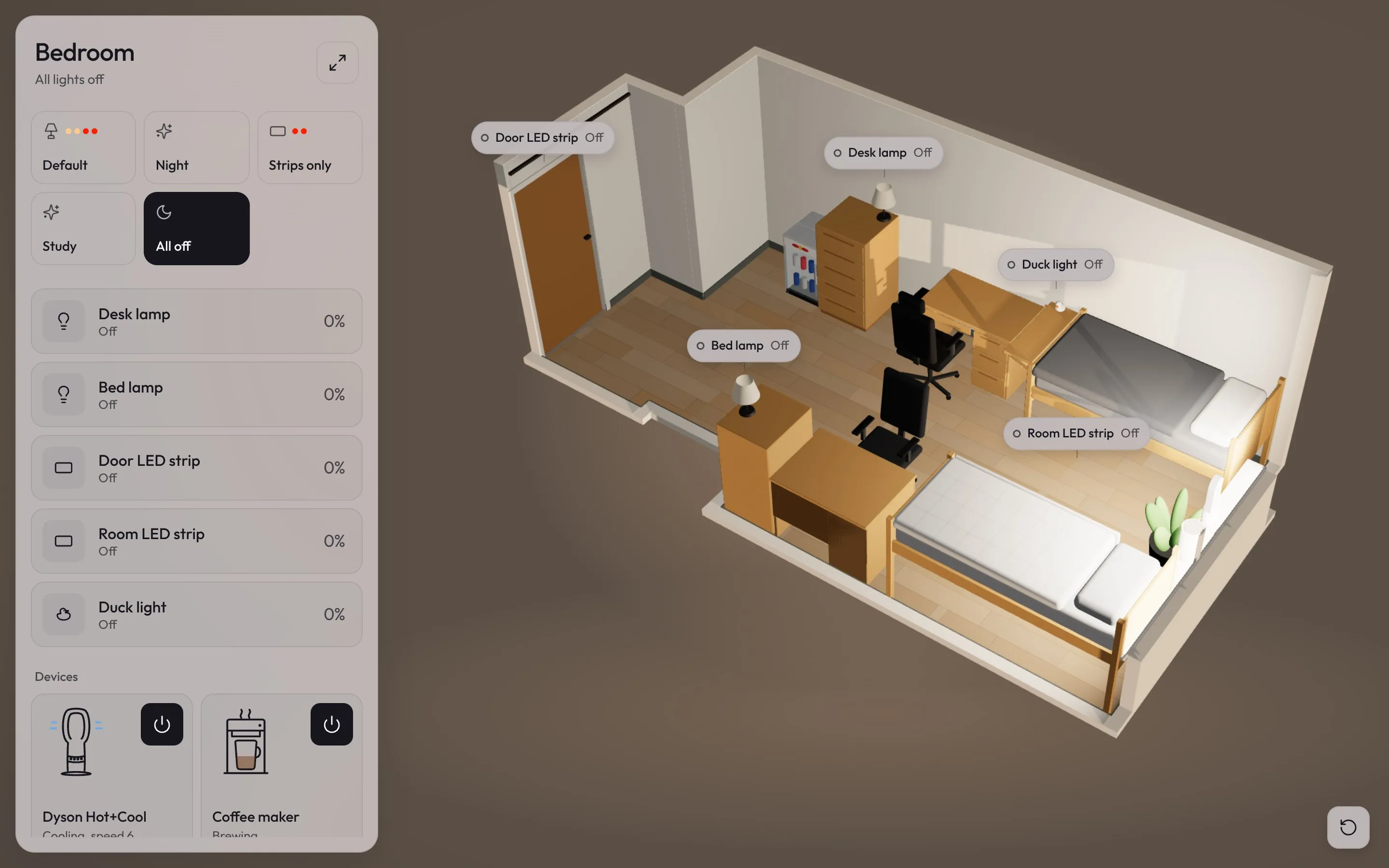
No light or dark mode
A theme switch would be the one thing in the room that ignores the room. Instead the interface follows how lit the room is and what color the light is: turn everything off and it goes dark with you. The sidebar lags the room by about a second, so the light seems to spill onto it. A test sweeps every brightness and tint and fails if any text drops below 4.5:1 contrast.
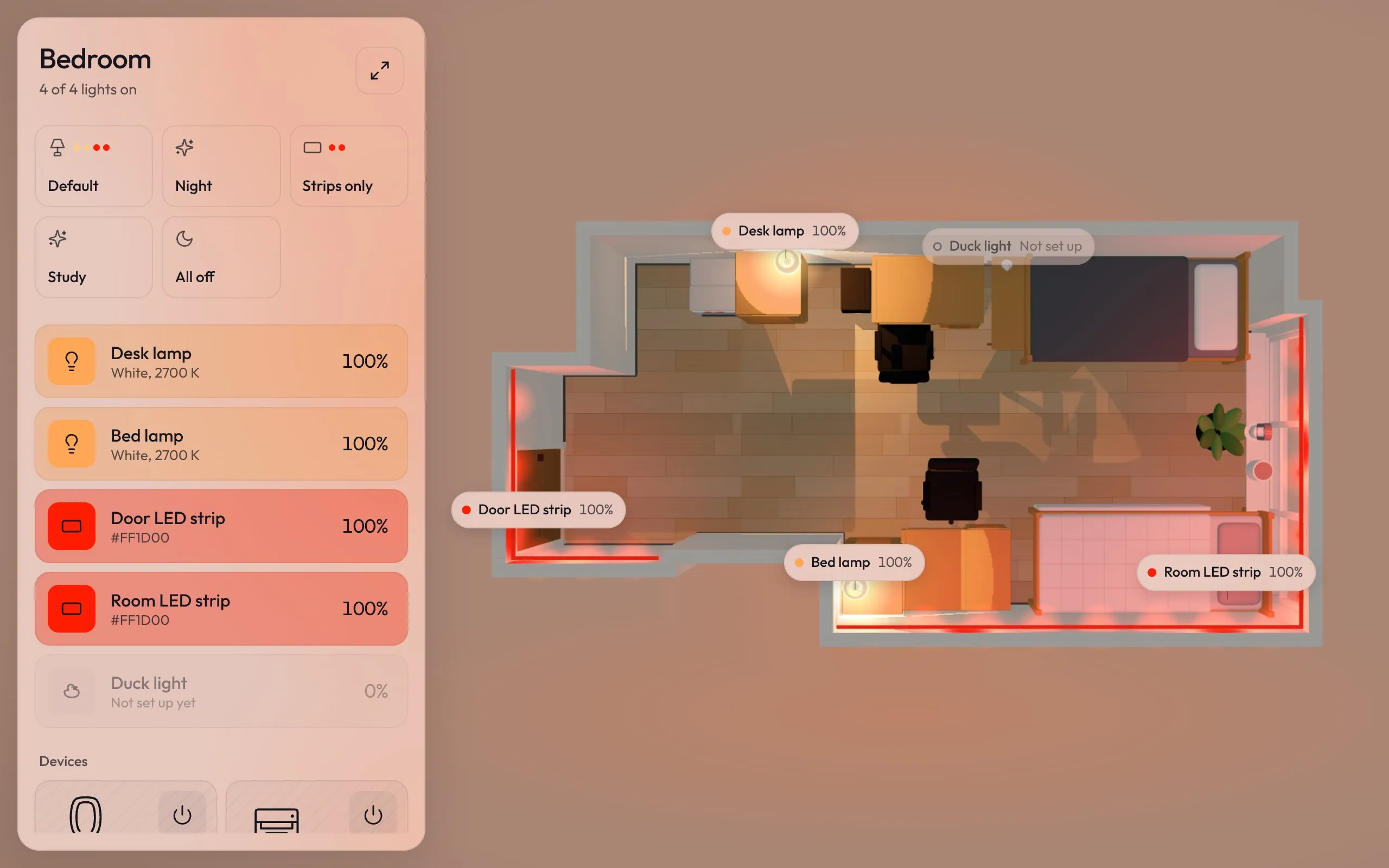
Made to live on a wall
No build step and every library stored locally, so it runs offline and unchanged on a tablet. It only redraws when something changes, and a screen on the wall reloads itself within 30 seconds of a new release, so I never have to walk over and refresh it.
Designing a smart home without a network.
The dorm’s rules ruled out the usual setup, and every choice followed from that. Matter over Thread instead of Wi-Fi, so plugs and sensors form their own mesh. Pairing through Home Assistant’s own Bluetooth, because normal Matter pairing needs a phone on the same network as the hub. Zigbee only where Matter can’t go.
I also asked whether the cloud could be the hub. It can’t: the radios have to be in the room, Matter needs a local network, and it would cost money every month. So it stays a computer in the room, built today on my PC so it can move to a dedicated server without a redesign.